Configure Children & Adult Differentiation
This section describes how to configure the Children&Adult Differentiation function.
The device classifies individuals below the child filter threshold as children.
Limitations: Uncontrollable Factors Affecting
Accuracy
The following child-related scenarios may result in undercounting and affect the detection accuracy of this function:
- Children below 1.1 m
- Children in strollers/shopping carts
- Children being held
- Children obstructed from view by adults
Applicable Installation Height: 2.2-4 m
Steps:
- In the main page, click Rule from the left navigation tree.
-
Enable Children & Adult Differentiation. The Child Filter Height parameter is displayed in the Deployment Parameters area.
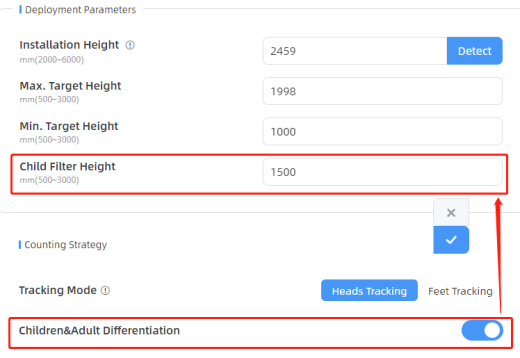
- Enter a threshold value in the Child Filter Height text
box and click
 to save the configuration. The device classifies
any individual detected below this value as a child.
to save the configuration. The device classifies
any individual detected below this value as a child. -
Check data through any of the following methods:
-
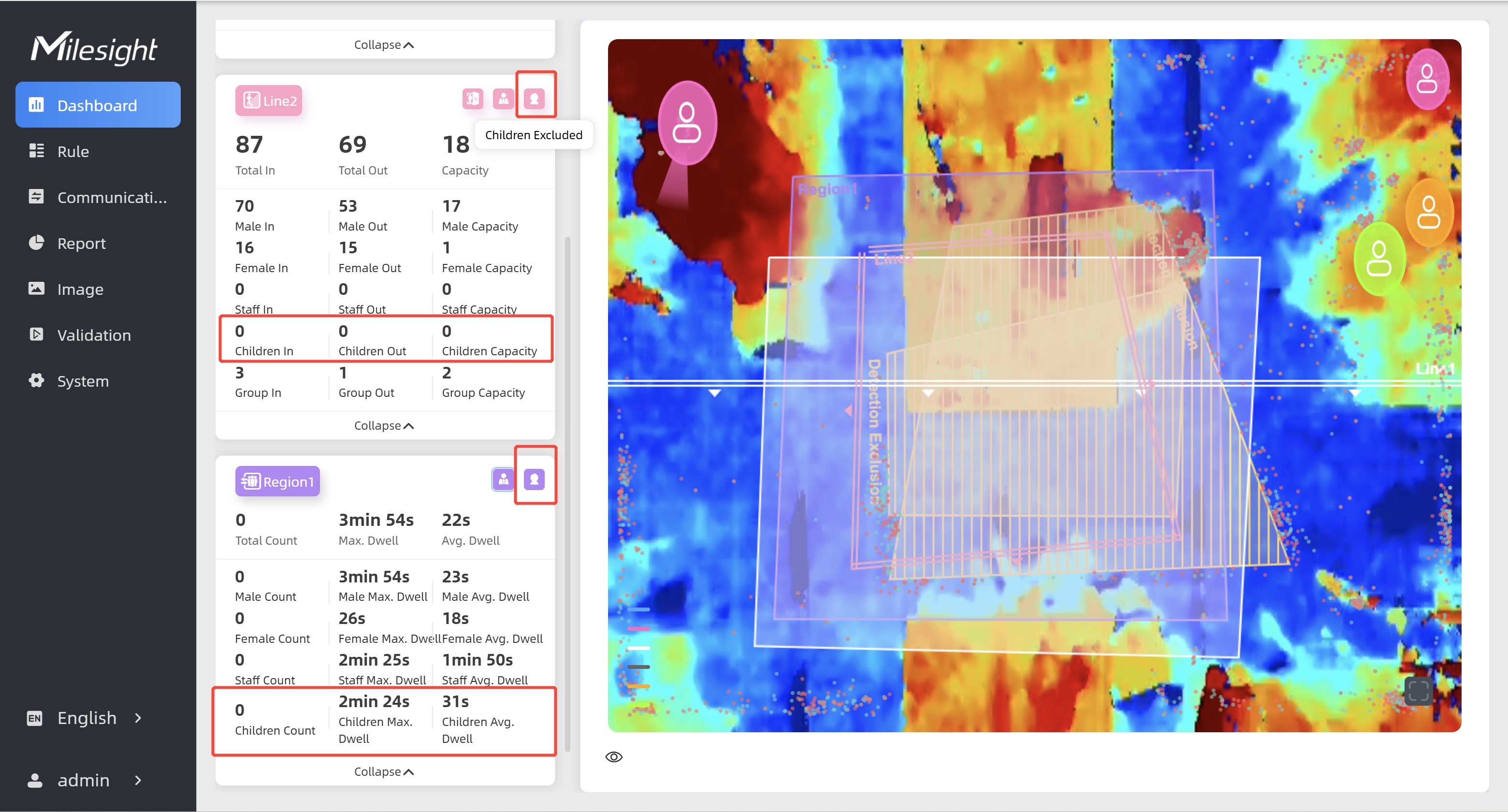
To check the visual configuration effect, click Dashboard from the left navigation tree.
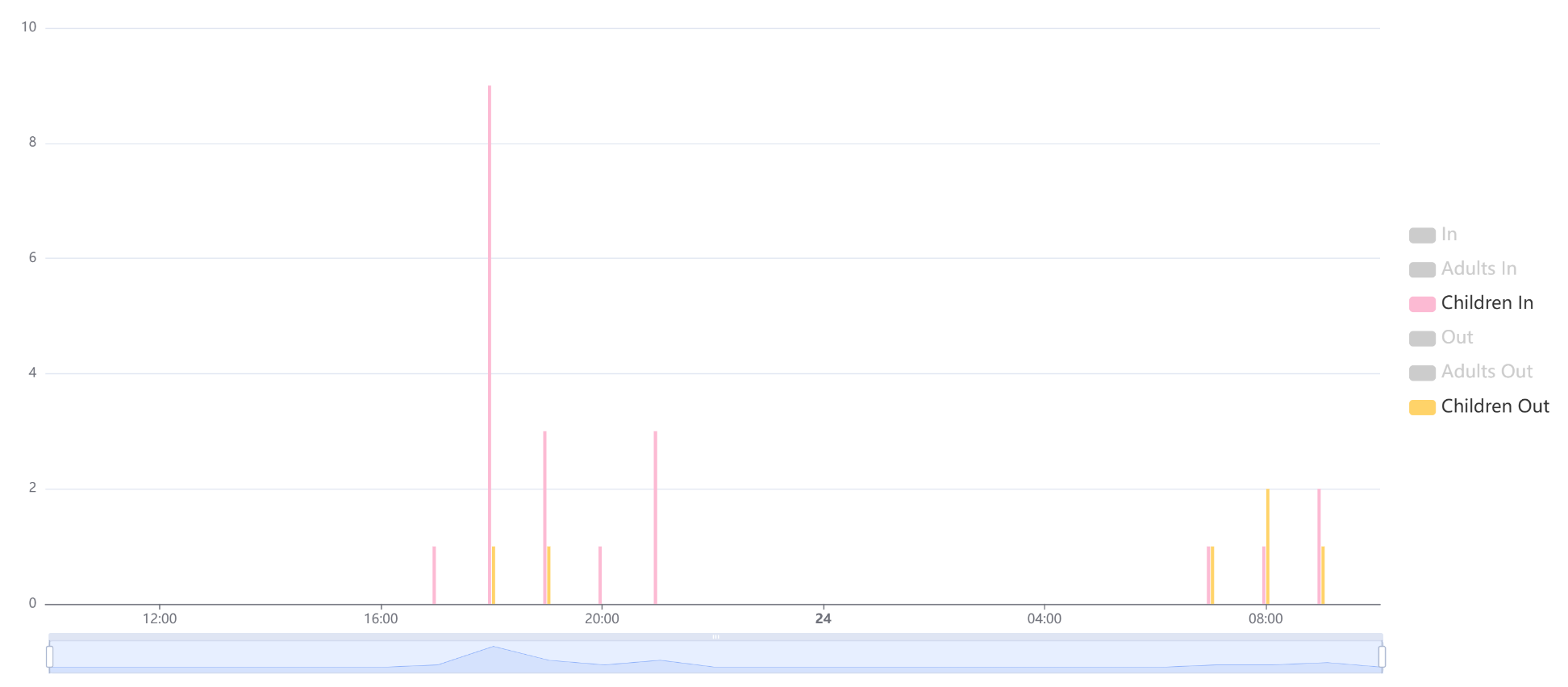
- To view the children data for a certain time
period and generate the corresponding report, click Report
from the left navigation tree. For details, refer to Generate
Reports.
- If recipients are added, check data through command line outputs. For details, refer to Uplink Data Example for Periodic Reporting and Uplink Data Examples for Trigger Reporting.
-