Configure Gender Recognition
This section describes how to configure the Gender Recognition function.
The device supports gender recognition, allowing it to determine whether a person is male or female based on physical appearance and clothing style.
Limitations: Uncontrollable Factors Affecting
Accuracy
- Targets have hairstyles that contrast with typical gender presentations (e.g., long hair on males or short hair on females).
- Targets' hair or clothing color is close to the floor color.
- Targets wear large concealing accessories (e.g., head scarves).
- Passing speed exceeding 2.5 m/s may cause missed detection.
Applicable Installation Height: 2.2-4m
Steps:
- In the main page, click Rule from the navigation tree on
the left.
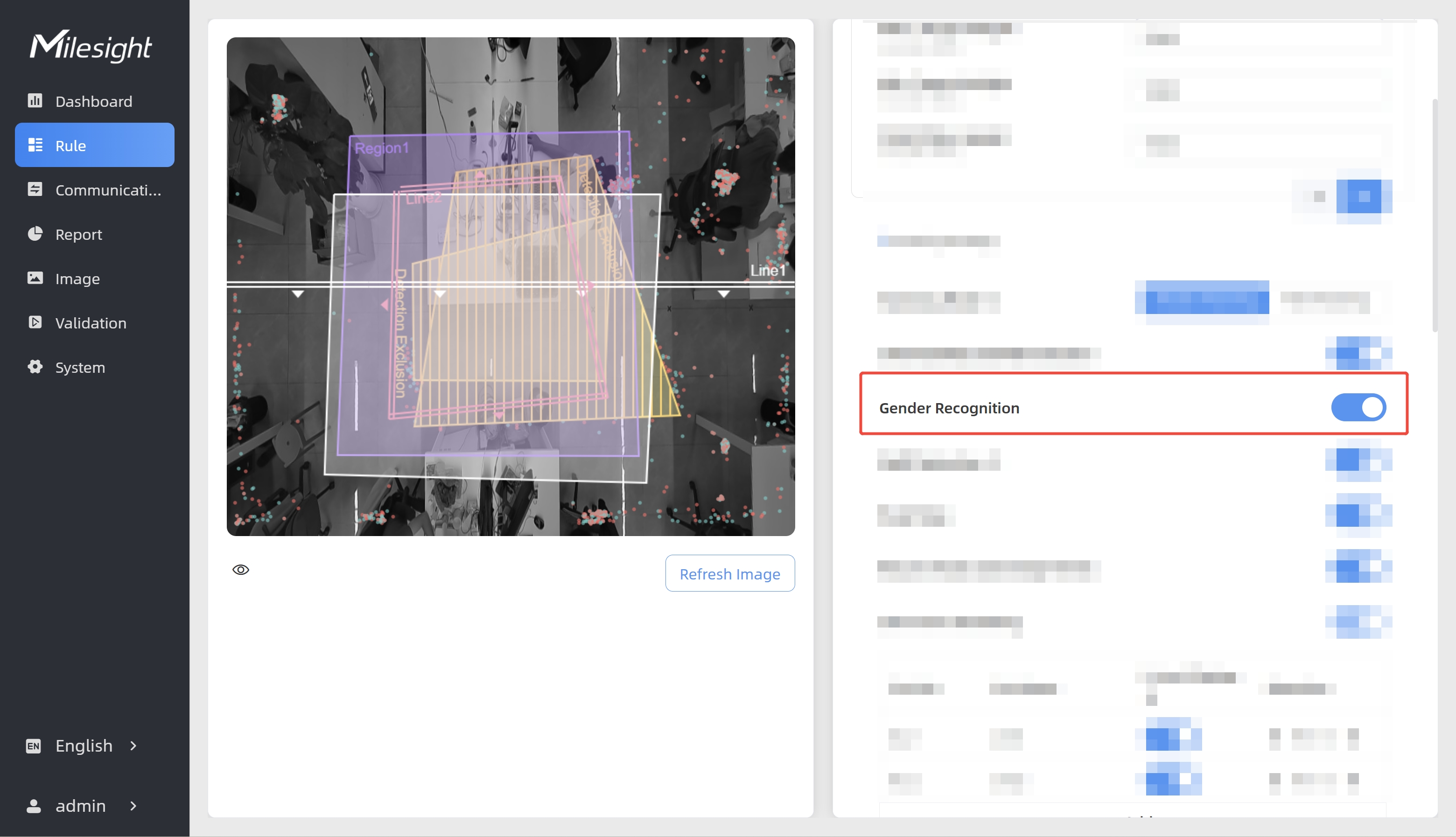
- Enable Gender Recognition.
- Check data through any of the following methods:
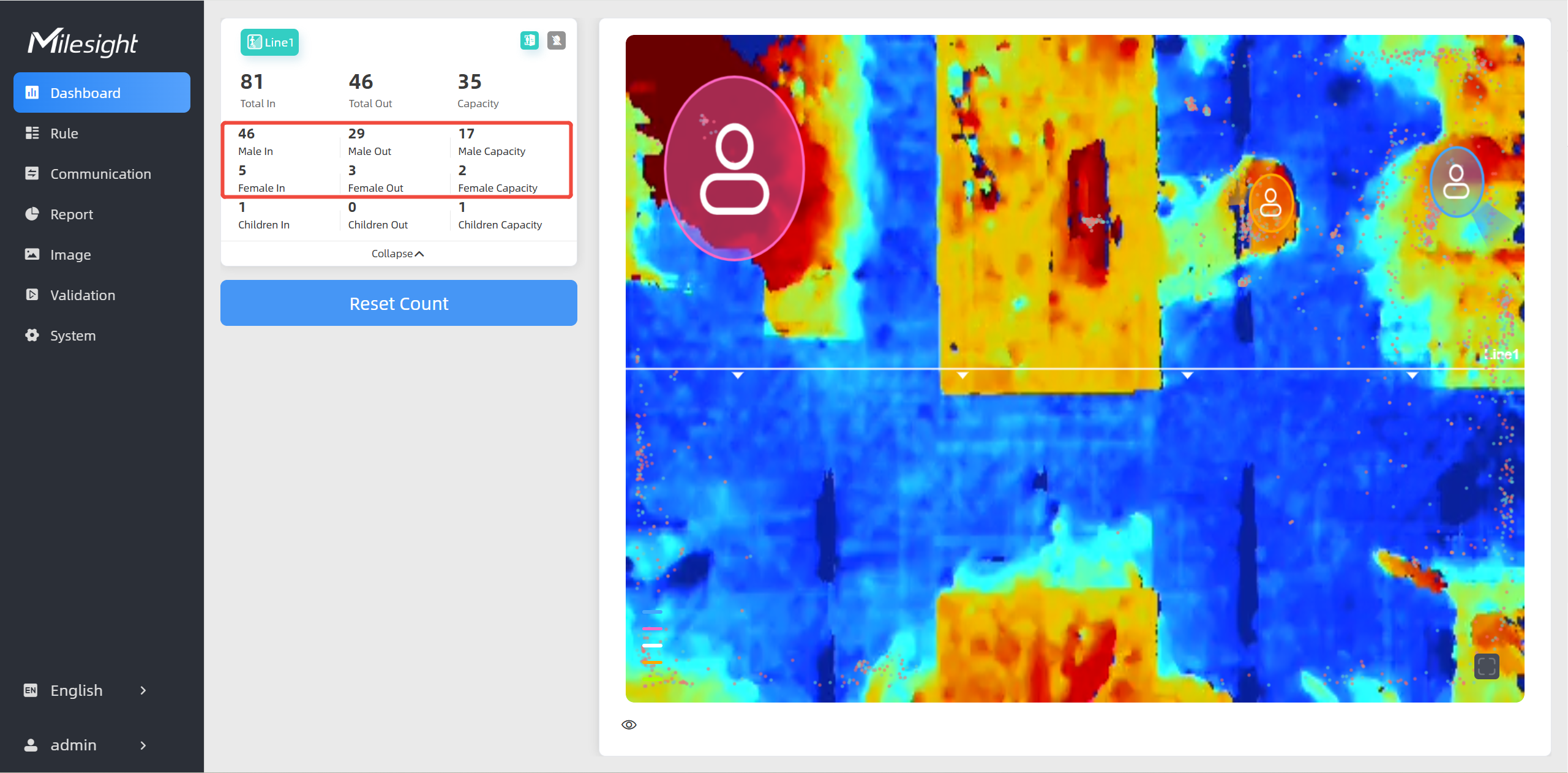
- To check the visual configuration effect, click
Dashboard from the left navigation tree.
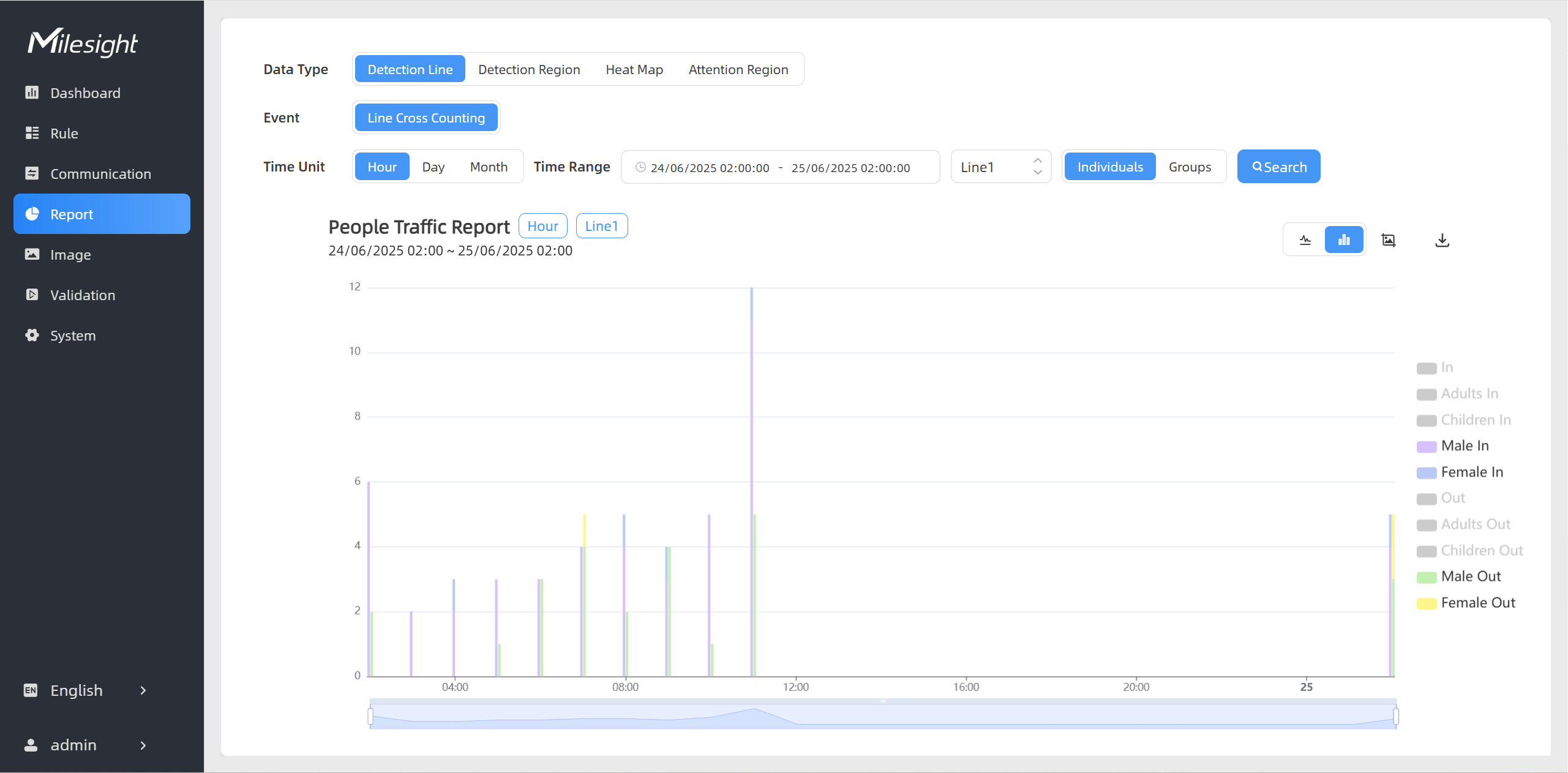
- To view the gender-specific data for a certain time period
and generate the corresponding report, click Report from the left
navigation tree. For details, refer to Generate
Reports.
- If recipients are added, check data through command line outputs. For details, refer to Uplink Data Example for Periodic Reporting and Uplink Data Examples for Trigger Reporting.
- To check the visual configuration effect, click
Dashboard from the left navigation tree.