General
Click the “System Settings->General” button, the General page will show as below:
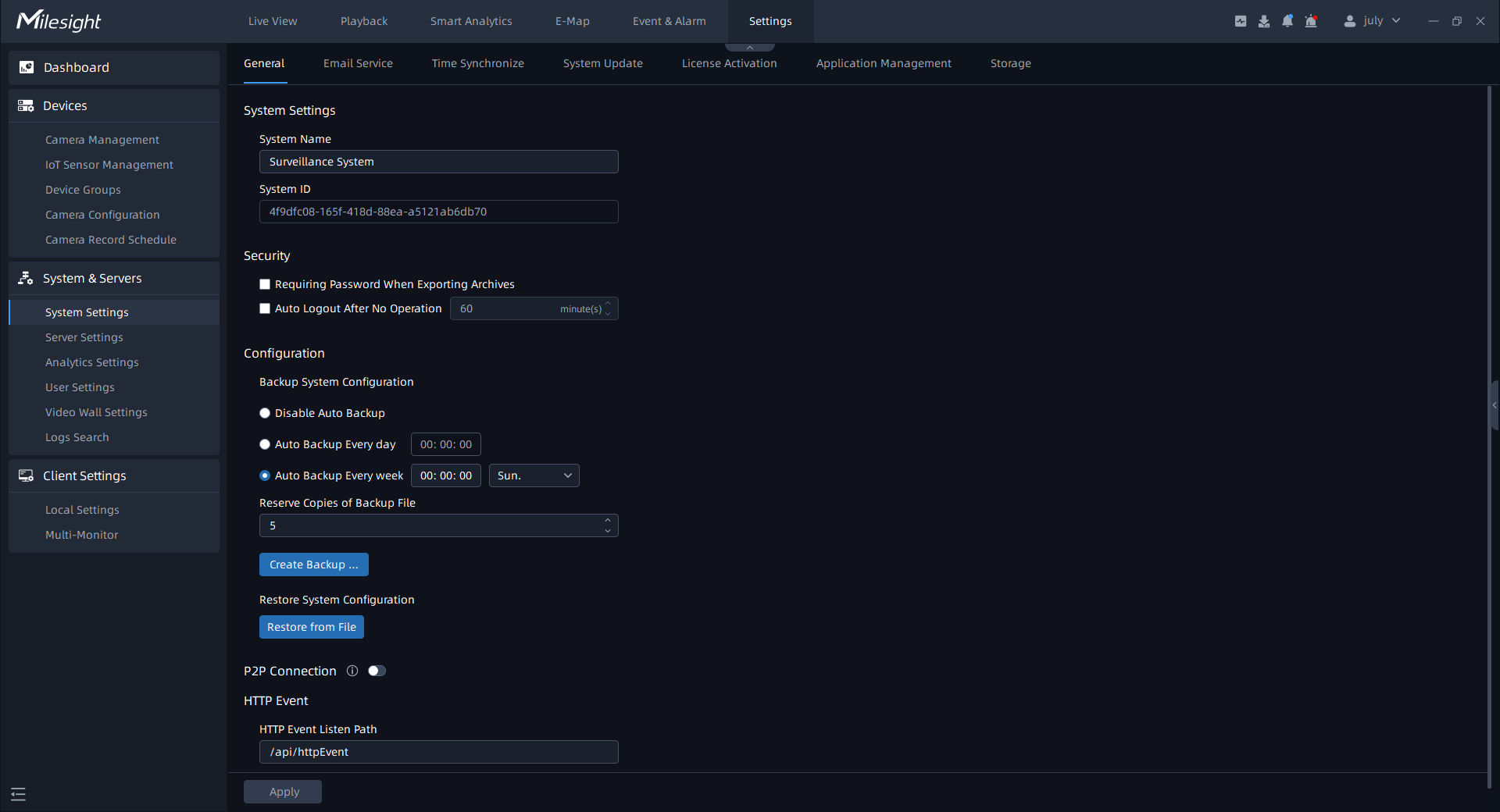
The meanings of the items on the page can be referred to the table below:
|
Items |
Function Introduction |
|---|---|
|
System Name |
You can customize the system name. |
|
Security |
Requiring Password When Exporting Archives: Select the check box to set the password when exporting the archives. Auto Logout: If the user does not operate within the set time period, the VMS Enterprise Client will automatically log out from system for better security. |
|
Backup System Configuration |
Disable Auto Backup: Select the check box to disable auto backup. Auto Backup Everyday: Select the check box to enable auto backup at certain times everyday. Auto Backup Every week: Select the check box to enable auto backup at certain times of the day each week. Reserve Copies of Backup File: You can choose the number of the copies of backup file (5-10). You can also click |
|
Restore System Configuration |
Click |
|
HTTP Event |
HTTP Event Listen Path can be set by yourself. |
|
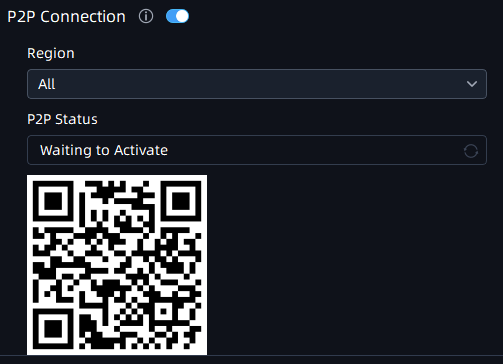
P2P Connection |
Click After finishing the settings, click 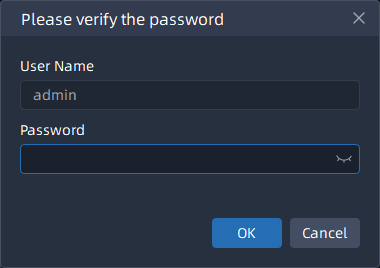 After successfully enabling the P2P function, it allows M-VMS Mobile APP to access the system through the Internet in P2P mode.
Note: You can download the M-VMS Mobile APP in the link: https://www.milesight.com/support/download |
 to back up system
configuration manually.
to back up system
configuration manually. to restore system
configuration.
to restore system
configuration. button to enable P2P mode, and then
users can choose P2P servers in different regions by
themselves.
button to enable P2P mode, and then
users can choose P2P servers in different regions by
themselves. button, a window will pop
up to verify the user’s password, input the password, and then click
"OK" button to apply the settings to your VMS system.
button, a window will pop
up to verify the user’s password, input the password, and then click
"OK" button to apply the settings to your VMS system.