Service
This chapter describes how to configure email settings and phone settings.
SMTP
The device supports working as a SMTP client to send or receive emails.
Prerequisites: A working email address information, and ensure the email address allows third-party app access.
Steps:
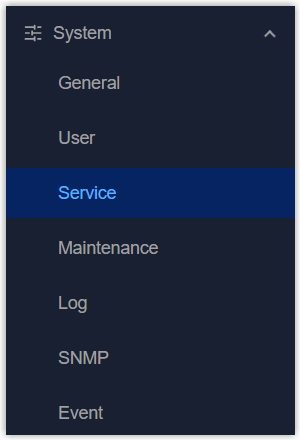
- On the left bar, select System > Service
page.
- On the top bar, select SMTP tab.
- Enable the SMTP client and configure the related parameters.
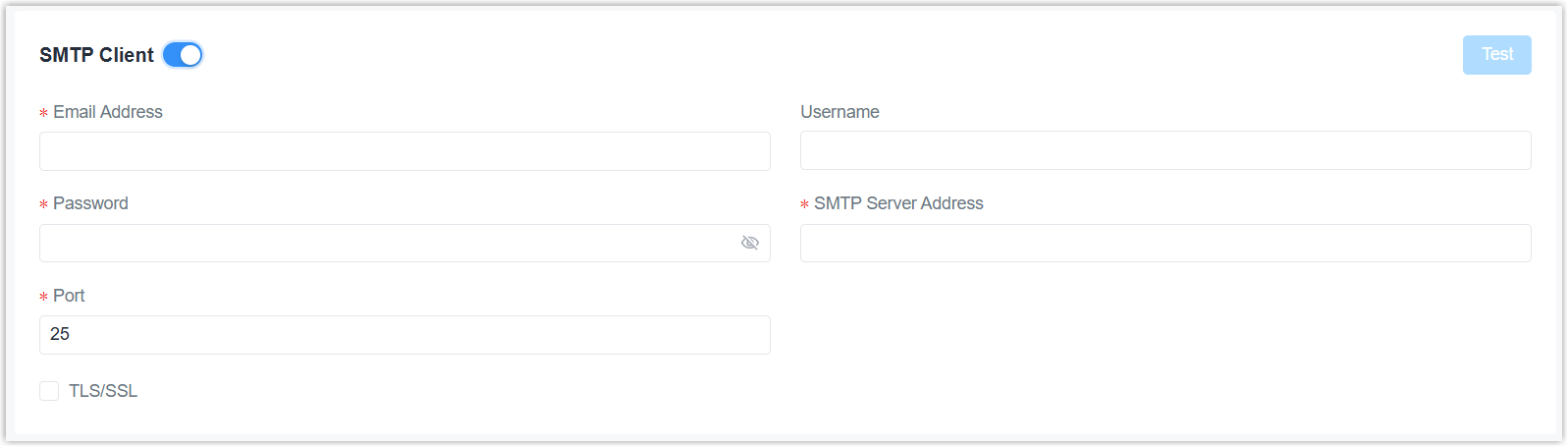
Parameter Description SMTP Client Enable or disable SMTP client. Email Address The address used for sending emails. Format: xxx@xxx.xx Username Username for authentication on SMTP server. Password Password for authentication on SMTP server. SMTP Server Address The address of the email service provider's SMTP server. Port The port of the email service provider's SMTP server. TLS/SSL Enable or disable TLS/SSL authentication. - Click Apply to save the settings.
- Click Test button on the right corner to check if the settings take effect.
This page is used to configure email groups to send Email alarms.
Prerequisites: The SMTP client settings take effect.
Steps:
- On the left bar, select System > Service
page.
- On the top bar, select Email tab.
- Click Add to add an email group and configure the related
parameters.

Parameter Description Name Set a unique name to identify this email group. Email Address Enter email addresses into the email group, separating each address with a semicolon. 
Delete this email group. - Click Apply to save the settings.
Phone
This page is used to configure phone groups to send alarms.
- Prerequisites:
-
- This feature is only available for -L08GL model.
- Ensure the used SIM card supports SMS services.
- SMS Center Number is configured correctly.
Steps:
- On the left bar, select System > Service
page.
- On the top bar, select Phone tab.
- Click Add to add a phone group and configure the related
parameters.

Parameter Description Name Set a unique name to identify this phone group. Phone Number Enter phone numbers into the phone group, separating each number with a semicolon. Delete this phone group. - Click Apply to save the settings.