SNMP
This chapter gives an overview of the SNMP feature in this device.
Overview
Simple Network Management Protocol (SNMP) is a network management protocol used for collecting information and configuring network devices.
- On the left bar, select System > SNMP page.
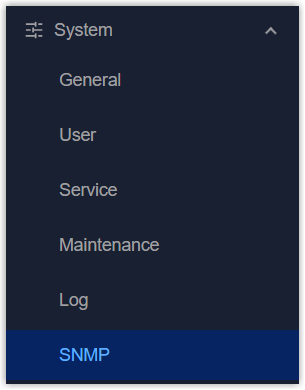
- Select SNMP tab to enable SNMP feature and configure general SNMP information, then click Apply to save the settings.
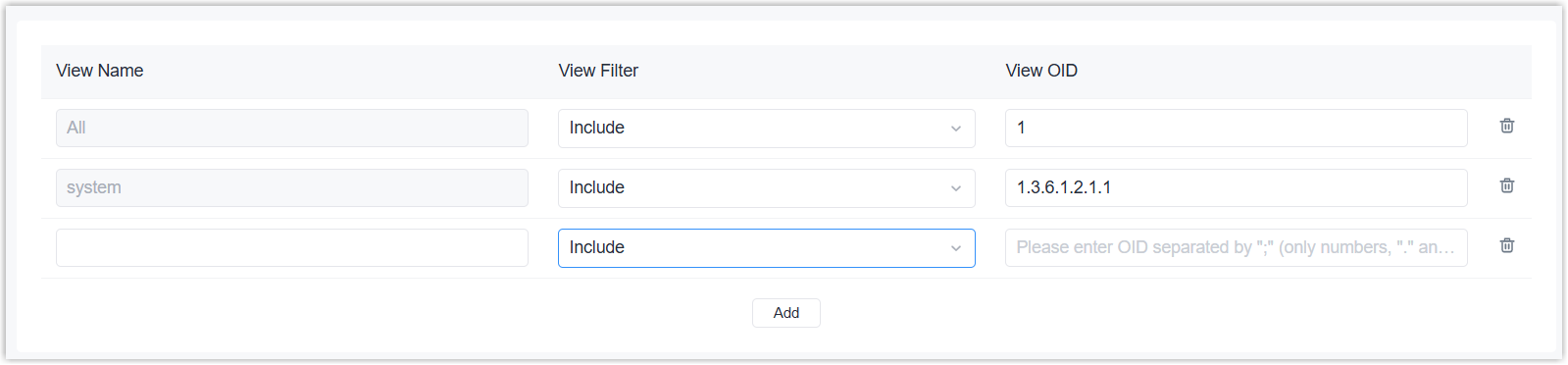
- (Optional) Select MIB View tab to add MIB views to define different access ranges, then click Apply to save the settings.
- (Optional) Select VACM tab to add communities or users to manage the access permissions, then click Apply to save the settings.
- (Optional) Select Trap tab to enable SNMP trap feature and configure the information to receive SNMP traps, then click Apply to save the settings.
- Select MIB tab to download the MIB files, then import the files to any SNMP MIB browser tool to check the device status and configuration variables.
SNMP Setting
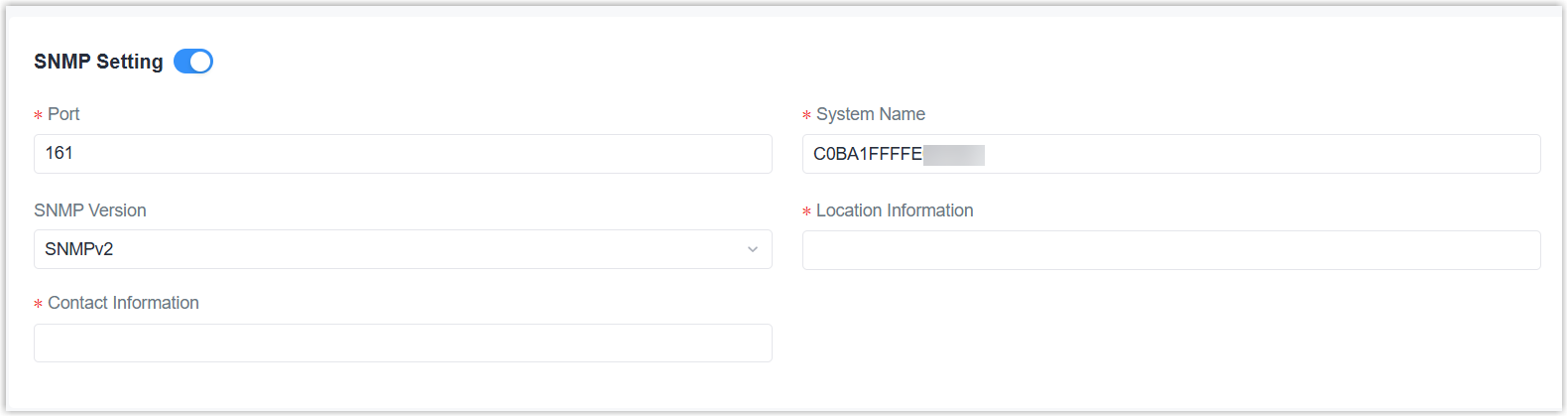
This page is used to configure general SNMP information.
| Parameter | Description |
|---|---|
| SNMP Setting | Enable or disable the device to work as an SNMP agent. |
| Port | The port of SNMP service. |
| System Name | The name to represent this device system. |
| SNMP Version | Select the version from SNMPv1, SNMPv2 and SNMPv3. |
| Location Information | The location of the system. |
| Contact Information | The contact information of the system. |
MIB View
| Parameter | Description |
|---|---|
| Add | Add a MIB view. |
| View Name | Define a unique MIB view name. |
| View Filter | Select the filter option to
define the OID range of this MIB view. Include: Only support the access of listed OIDs in the MIB. Excluded: Only support the access of the MIB except the listed OIDs. |
| View OID | Enter the included or excluded access OIDs separated by semicolons. |
 |
Delete this MIB view. |
VACM
This page is used to add and manage the access permissions of communities/users.

| Parameter | Description |
|---|---|
| Add | Add a community. |
| Community | Define a unique community name. |
| Permission | Select the access permission of this community. |
| MIB View | Select the accessible MIB view of this community. |
| Network | Enter the external IP address/subnet to allow to access this MIB view. 0.0.0.0/0 means all allows. |
|
Delete this community. |

| Parameter | Description |
|---|---|
| Add | Add a SNMPv3 user. |
| Username | Define a unique username. |
| Security Level | Select the authentication
strategy for this
user. NoAuth: No authentication, no privacy. If Auth/NoPriv or Auth/Priv is selected, it needs to configure the authentication algorithm and password; if Auth/Priv is enabled, it needs to configure the encryption algorithm and password. |
| Read-Only View | Select the MIB view to assign this permission. |
| Read-Write View | |
| Notify View | |
 |
Edit this user. |
|
Delete this user. |
Trap

| Parameter | Description |
|---|---|
| Enable | Enable or disable SNMP trap feature. |
| Community/User | Select the community/user to send SNMP traps. |
| Server Address | The IP address or domain name to send SNMP traps. |
| Port | The server port to send SNMP traps. |
MIB
