RS485
This chapter describes how to configure RS485 basic parameters.
Prerequisites
Gather the RS485 basic parameters from terminal devices' user guides or manufacturers.
Steps
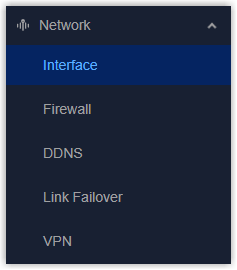
- On the left bar, select Network > Interface
page.
- On the top bar, select RS485 tab.
- Configure the basic parameters of the corresponding RS485 interface. Usually,
these should be the same as the terminal devices.
Parameter Description Baud Rate Select the serial data transmission rate. Data Bits The number of data bits for each character. It is fixed at 8. Stop Bits Indicates the end of each data frame, enabling the receiver to determine if a frame is complete. Options: 1, 2 Parity This is used to detect errors during transmission. Options: None, Odd, Even. DIP Enable or disable to add a 120Ω termination resistor across terminals A and B, eliminating signal reflections from the cable ends. - Click Apply to save the settings.