Cellular
This chapter describes how to configure the settings to register to cellular network.
Prerequisites
- The supported frequencies of the SIM card matches the device model.
- Ensure the SIM card has sufficient balance and works properly in other devices.
- Ensure the device has installed the SIM card and the cellular antenna.
- Gather SIM information from the cellular operator.
Steps
- On the left bar, select Network > Interface
page.
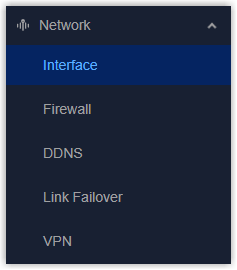
- On the top bar, select Cellular tab.
- Enable the cellular interface.

- Click
 to configure the settings of this SIM card. Skip
this step if not required.
to configure the settings of this SIM card. Skip
this step if not required.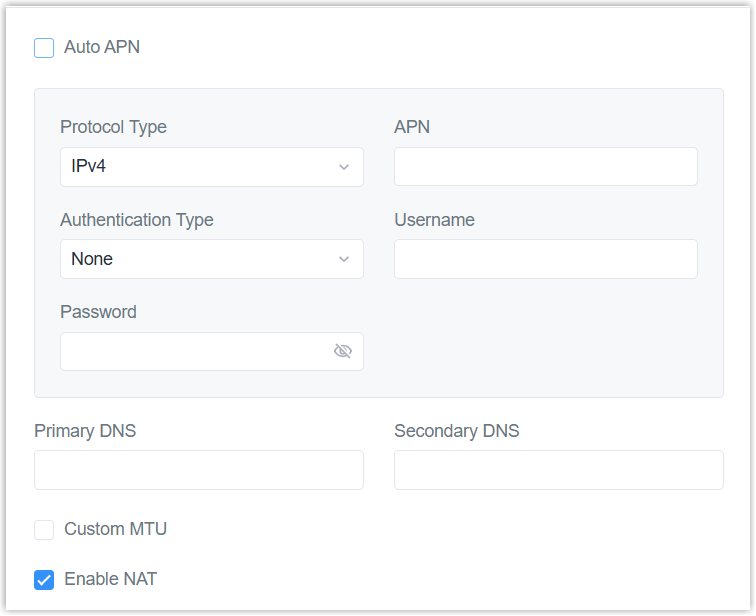
Parameter Description Auto APN After enabled, the device will scan an internal APN database and selects an APN based on the SIM card's operator and country. If the first chosen automatically APN doesn't work, it attempts to use the next existing APN from the internal database. If disabled, set below parameters to custom APN info:
Protocol Type: Set the type as IPv4 or IPv4/IPv6.
APN: Set the Access Point Name for cellular registration and defining which external network to connect. Only letters, digits, "-" and "." are allowed, and the first character must not be "_" or ".". The maximum length is 63 characters.
Authentication Type: Set the method to authenticate new connections on the carrier's network.
Username: Set the username for cellular registration.
Password: Set the password for cellular registration.Primary DNS Customize the cellular primary DNS server. If left blank, the device will use operator's settings. Secondary DNS Customize the cellular secondary DNS server. If left blank, the device will use operator's settings. Custom MTU Enable or disable to customize the maximum transmission unit. If disabled, the device will use operator's MTU settings. Enable NAT Enable or disable NAT. - Click SIM Setting to configure the SIM parameters of all interfaces. Skip
this step if not required.
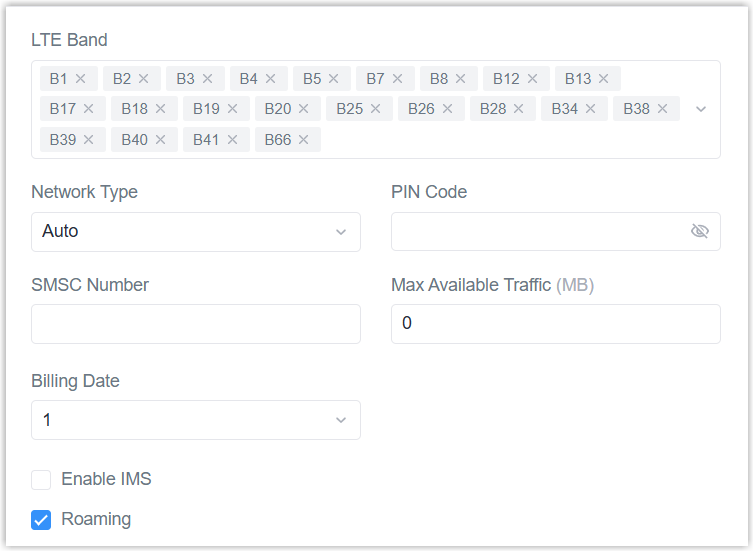
Parameter Description LTE Band Select the cellular bands used to register the cellular network. It can be used to optimize cellular speeds by selecting specific bands. Network Type Select from Auto, 4G Only, etc. (The options differ according the model). PIN Code Set a 4-8 characters PIN code to unlock the SIM. SMSC Number Set a hub number to store, route or deliver SMS messages. This feature is only available for -L08GL model. Max Available Traffic After reaching this limit, the SIM card is not allowed to use until the billing day. 0 means no limit. Billing Date Select the month's date to reset the available traffic data. IPv4 Subnet Mask Customize the cellular subnet mask. If left blank, the device will use operator's settings. This feature is only available for -L09NA model. Enable IMS Enable or disable IMS feature. This feature is only available for -L08GL model. Roaming Enable or disable roaming. - Select the connection mode as required. This feature is only available for
-L08GL model.
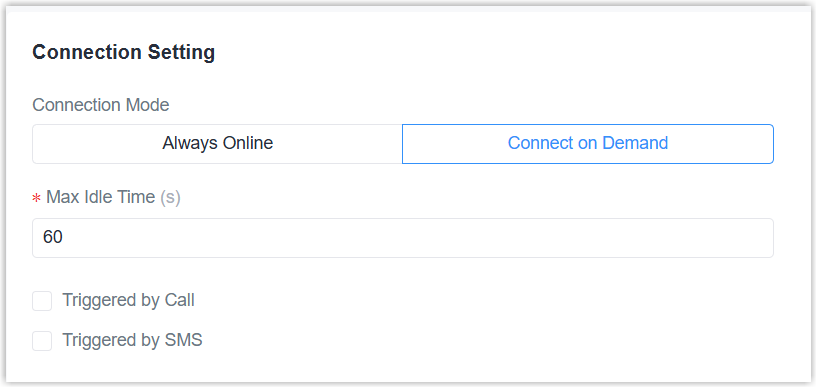 If Connect on Demand is selected, configure the following parameters:
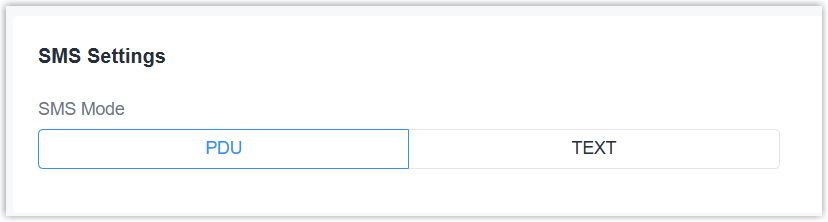
Parameter Description Max Idle Time If there is no cellular data transmission during this time, drop the cellular connection. Triggered by Call After enabled, the device will try to register to cellular network after receiving a call from any number of the selected call group. Triggered by SMS After enabled, the device will try to register to cellular network after receiving a specific SMS message from any number of the selected SMS group. - Select the SMS mode as PDU or TEXT as required. This feature is only available
for -L08GL model.
- Click Apply to save the settings.
- Check if the cellular status is Connected.
- Configure Link Failover settings to enable cellular interface as network link.